 Perfingo
For MAS-licensed advisors · Singapore
Financial planning software for advisors
Plan with clients in a plan they own. Perfingo is neutral, not owned by any insurer, and built for the client first. Set up a new client in one meeting. They decide what you can see, and they keep the plan.
14-day free trial · S$600/yr or S$100/mo · unlimited clients
Client side
Advisor side
Why now
Be the planner, not the product pusher.
Many clients now ask AI first, and they can buy products without you. What AI can't give them is a person they trust to check the whole plan.
31%
of Singapore respondents would trust AI to review a long-term plan. 1
67%
trust advisers who use AI. 2
~1 in 10
Singapore investors said advisers always put clients first. Older data, a long memory. 3
Sources
Where Perfingo sits
Three kinds of planning tool. Only one belongs to the client.
An insurer or agency tool can look like it was built to sell. Perfingo is neutral software the client owns, and you borrow that trust. GoalsMapper is a strong meeting and CRM tool, and the table says so.
| Feature | Perfingo | GoalsMapper | Insurer & agency in-house tools |
|---|---|---|---|
| Who it's built for | The client first. The advisor is invited in. | Financial consultants and institutions | Usually the firm's own reps |
| Who owns the plan and data | The client, in their own account | Not stated publicly | Usually the firm or the rep |
| Client has their own app between meetings | Yes, the full Perfingo app | Client portal planned for 2022, not confirmed since | Sometimes, usually a branded app that routes back to the firm |
| Client controls what the advisor sees | Yes. Three access levels and a spending switch, changeable any time | Not stated publicly | Usually not. The rep holds the file. |
| Plan survives if the advisor or agency changes | Yes. The plan stays in the client's account. | Not stated publicly | Usually tied to the firm |
| Neutral to product providers | Yes. Not owned by any insurer. Sells no products. | Separate software vendor | Usually built around the firm's own products |
| Fact-find | No separate form. The client's own plan is the fact-find. | Yes, digital fact-find | Usually an e-needs analysis at point of sale |
| Singapore-native CPF / HDB modelling | Yes. CPF accounts, the age-55 transfer, HDB loans and grants | Has a mortgage module. CPF depth not stated publicly. | Varies by firm |
| Statement import | Yes, into the client's cashflow | Not stated publicly | Not stated publicly |
| Couple / household view | Yes. Us, or each partner | Not stated publicly | Varies by firm |
| Live what-if in the meeting | Yes. Try changes, compare, then apply or discard | Yes, scenario stress tests | Usually product illustrations |
| Presentation reports | No report pack. You present the live plan. | Yes, one-click reports | Usually product illustrations and forms |
| Plan templates | Yes, saved from plans you've built | Not stated publicly | Not stated publicly |
| Published pricing | Yes. S$600/yr or S$100/mo | Not published. Demo on request. | Usually provided by the firm |
| CRM / pipeline | No. A client list, not a CRM | Yes, GM Connect (CRM and messaging) | Often bundled, sometimes with commission tracking |
Who it's built for
- Perfingo
- The client first. The advisor is invited in.
- GoalsMapper
- Financial consultants and institutions
- Insurer & agency in-house tools
- Usually the firm's own reps
Who owns the plan and data
- Perfingo
- The client, in their own account
- GoalsMapper
- Not stated publicly
- Insurer & agency in-house tools
- Usually the firm or the rep
Client has their own app between meetings
- Perfingo
- Yes, the full Perfingo app
- GoalsMapper
- Client portal planned for 2022, not confirmed since
- Insurer & agency in-house tools
- Sometimes, usually a branded app that routes back to the firm
Client controls what the advisor sees
- Perfingo
- Yes. Three access levels and a spending switch, changeable any time
- GoalsMapper
- Not stated publicly
- Insurer & agency in-house tools
- Usually not. The rep holds the file.
Plan survives if the advisor or agency changes
- Perfingo
- Yes. The plan stays in the client's account.
- GoalsMapper
- Not stated publicly
- Insurer & agency in-house tools
- Usually tied to the firm
Neutral to product providers
- Perfingo
- Yes. Not owned by any insurer. Sells no products.
- GoalsMapper
- Separate software vendor
- Insurer & agency in-house tools
- Usually built around the firm's own products
Fact-find
- Perfingo
- No separate form. The client's own plan is the fact-find.
- GoalsMapper
- Yes, digital fact-find
- Insurer & agency in-house tools
- Usually an e-needs analysis at point of sale
Singapore-native CPF / HDB modelling
- Perfingo
- Yes. CPF accounts, the age-55 transfer, HDB loans and grants
- GoalsMapper
- Has a mortgage module. CPF depth not stated publicly.
- Insurer & agency in-house tools
- Varies by firm
Statement import
- Perfingo
- Yes, into the client's cashflow
- GoalsMapper
- Not stated publicly
- Insurer & agency in-house tools
- Not stated publicly
Couple / household view
- Perfingo
- Yes. Us, or each partner
- GoalsMapper
- Not stated publicly
- Insurer & agency in-house tools
- Varies by firm
Live what-if in the meeting
- Perfingo
- Yes. Try changes, compare, then apply or discard
- GoalsMapper
- Yes, scenario stress tests
- Insurer & agency in-house tools
- Usually product illustrations
Presentation reports
- Perfingo
- No report pack. You present the live plan.
- GoalsMapper
- Yes, one-click reports
- Insurer & agency in-house tools
- Usually product illustrations and forms
Plan templates
- Perfingo
- Yes, saved from plans you've built
- GoalsMapper
- Not stated publicly
- Insurer & agency in-house tools
- Not stated publicly
Published pricing
- Perfingo
- Yes. S$600/yr or S$100/mo
- GoalsMapper
- Not published. Demo on request.
- Insurer & agency in-house tools
- Usually provided by the firm
CRM / pipeline
- Perfingo
- No. A client list, not a CRM
- GoalsMapper
- Yes, GM Connect (CRM and messaging)
- Insurer & agency in-house tools
- Often bundled, sometimes with commission tracking
Based on public information as of Oct 2026. Tell us if something's changed. GoalsMapper: goalsmapper.com , AAN 2021 . In-house tools, typical examples: tablet point-of-sale (2015) , a goals quiz that "does not analyse" needs , a branded app that routes to a consultant , needs analysis bundled with commission tracking . "Not stated publicly" means we couldn't find it, not that it doesn't exist.
How it works with your clients
You guide. The client shares, and keeps the plan.
-
Before the meeting
Model the household in your own workspace
Set it up as an extra plan in your own account, try a few what-ifs, then tap Save as template. Templates strip personal details.
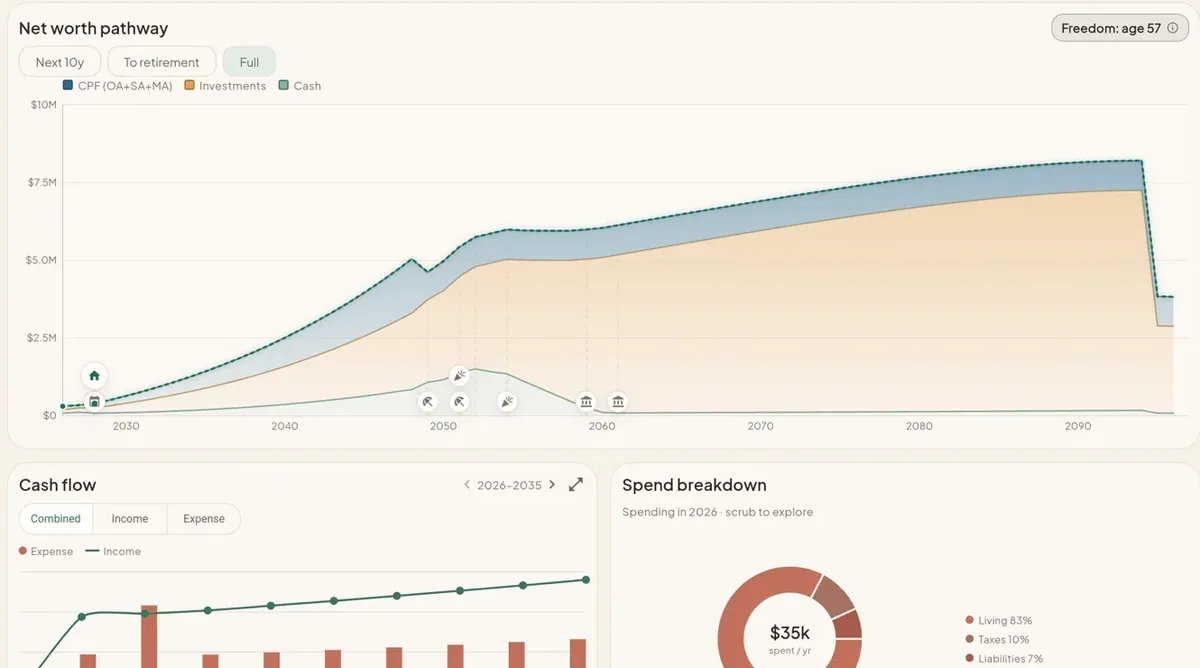
Model it and try what-ifs before you meet. -
In the meeting
They sign up and share with you
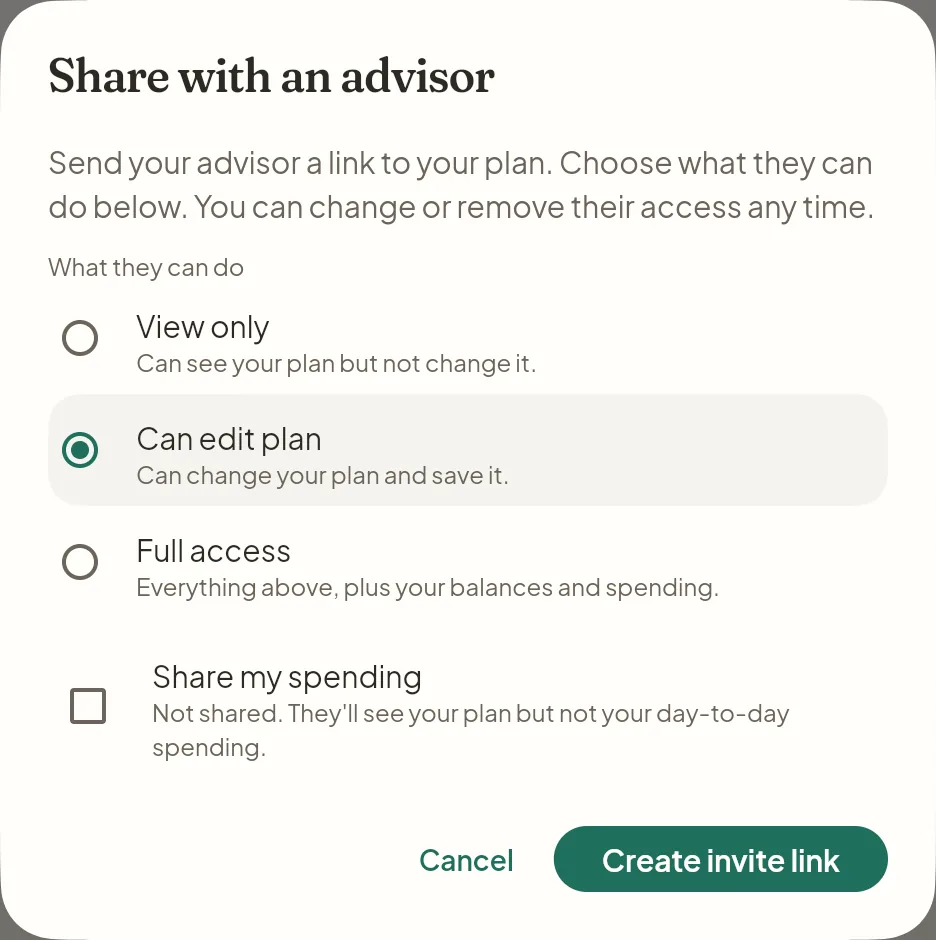
Your client creates their own account on their phone, then taps Share with an advisor in their Profile. They pick View only, Can edit plan or Full access, and whether to share spending. You accept the single-use link (valid 7 days).
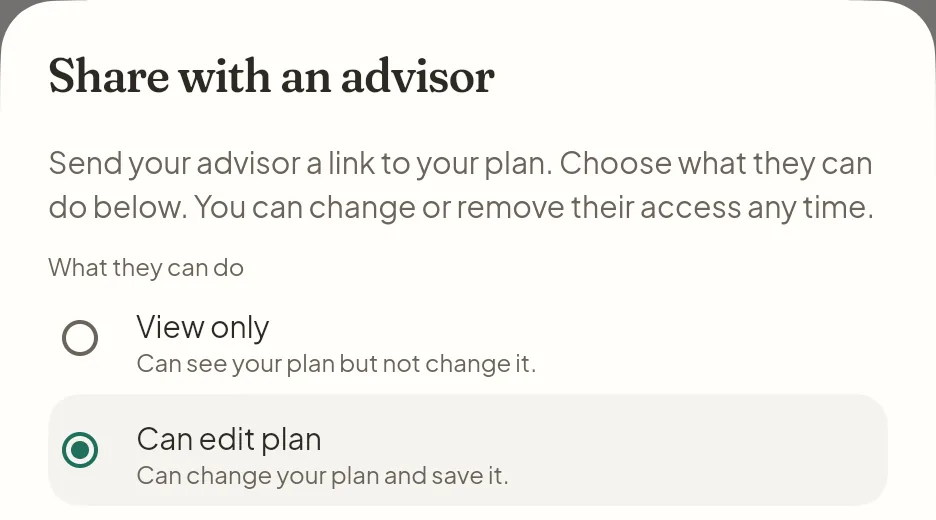
They choose your access. -
Together
Fill in their real numbers from your template
On Can edit plan, open New from template inside their plan and swap your assumptions for their figures. CPF is entered by hand. Bank, card and brokerage statements import into their cashflow, and on Full access you see their balances and spending too.
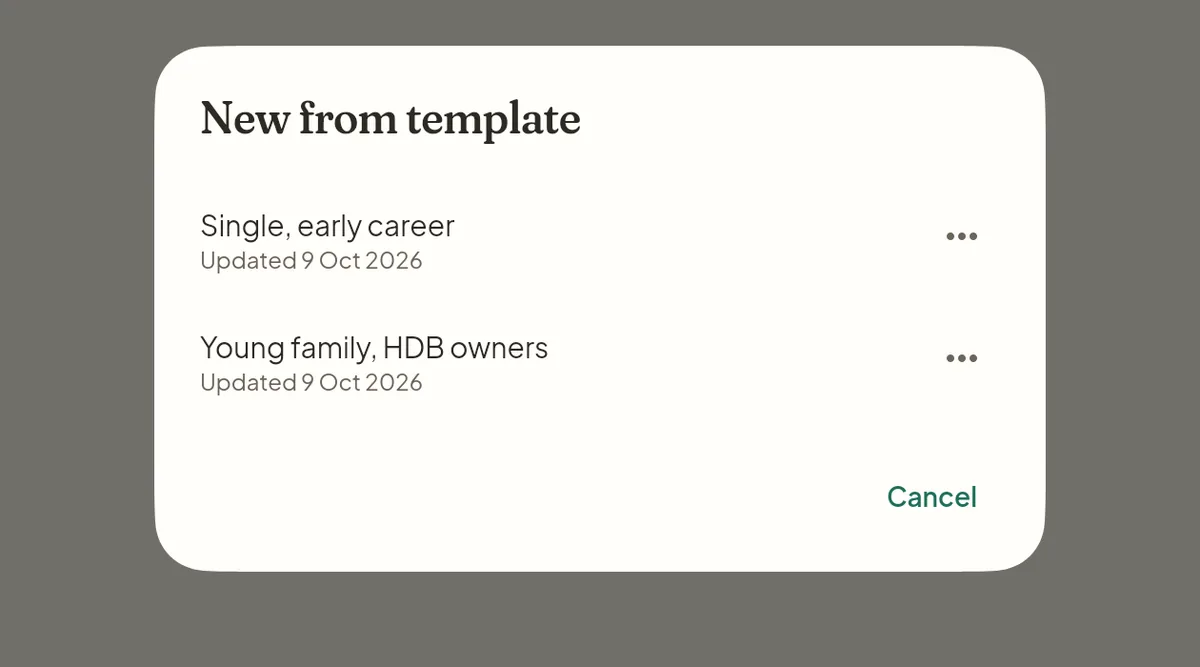
New from template, inside their plan. -
After the meeting
They leave with their own app
On your paid plan, they get 6 months of Perfingo free when you accept their link. The free months need a paid plan, not the trial. The plan stays theirs between reviews.
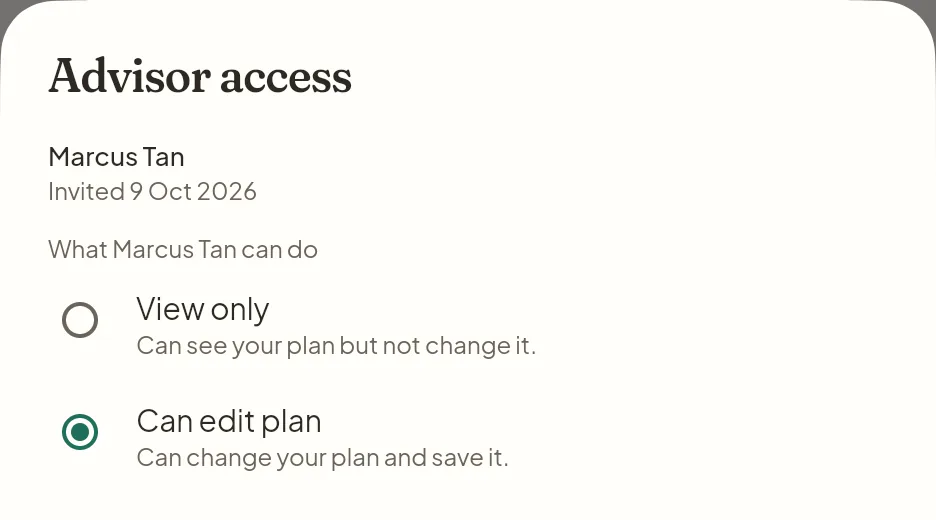
Their app, their controls.
-
Client
They share from their Profile
They tap Share with an advisor, pick View only, Can edit plan or Full access, and decide whether to share spending.
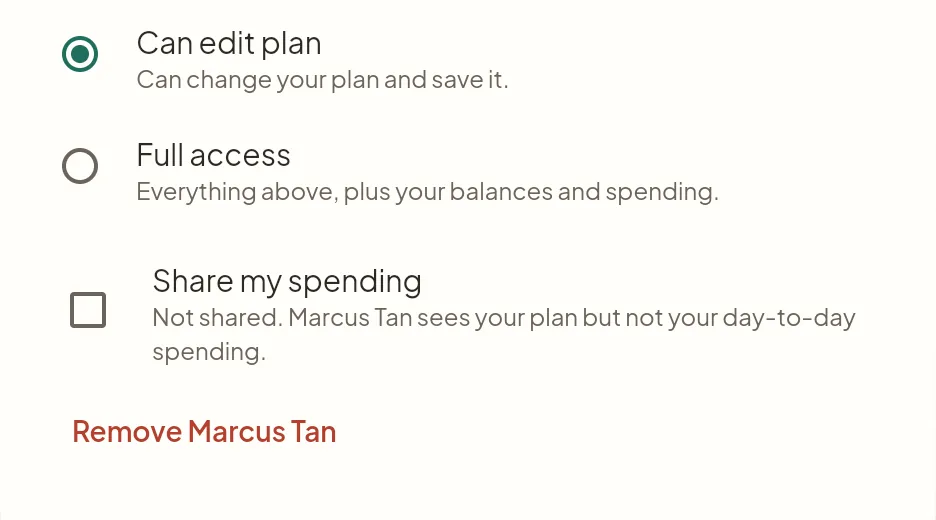
The levels and the spending switch stay in their hands. -
You
Open the link. They're in your Clients list.
Accept the link and the household appears with modules done, last updated and the access they gave you. Their whole picture is already there.
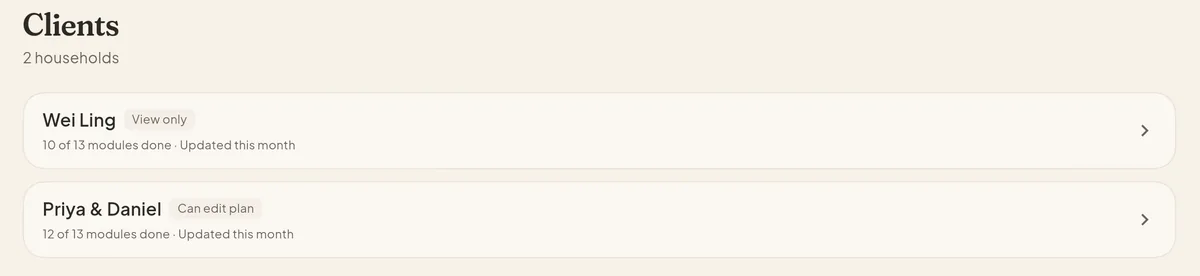
Your Clients list. -
Together
Work in their plan, live
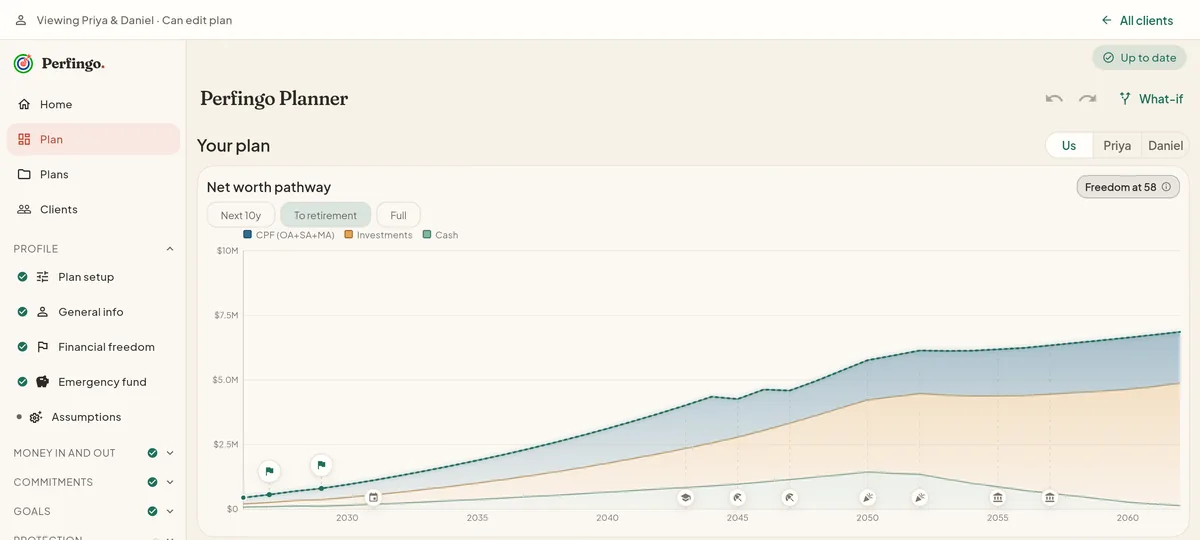
The banner shows whose plan you're in and what you can do. Run a what-if together and apply it only if they agree. Applying needs Can edit plan or Full access.
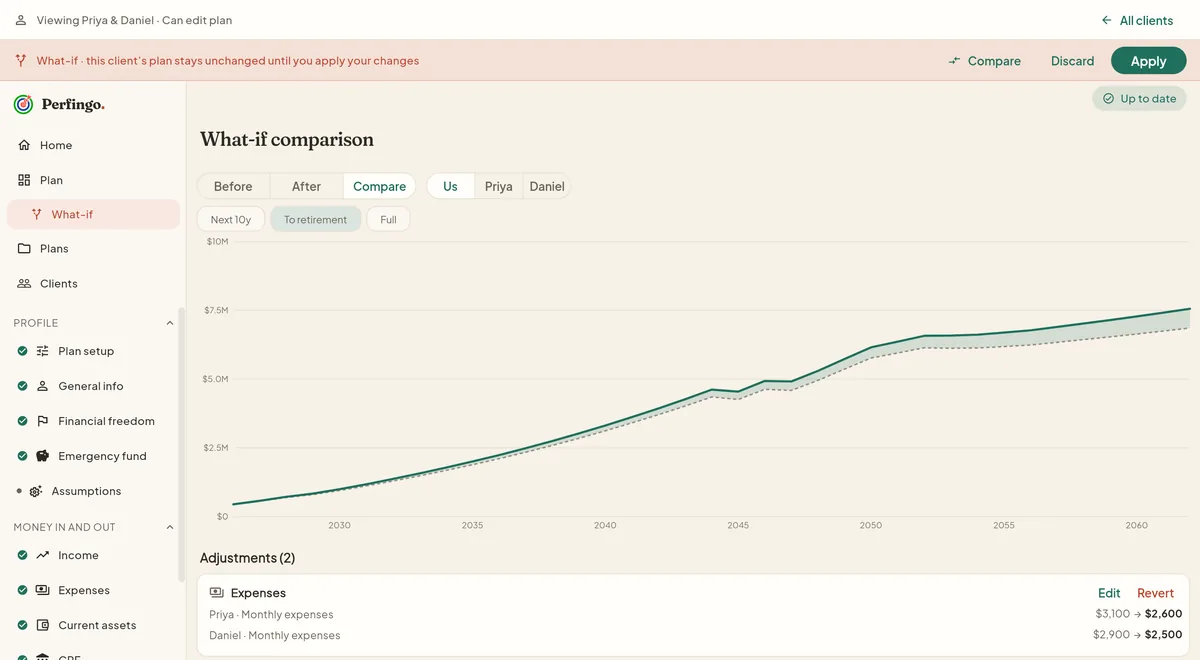
Nothing changes until you press Apply. -
Any time
They stay in control
They can change your level whenever they like, and it takes effect at once. Removing you asks once, then access ends straight away.
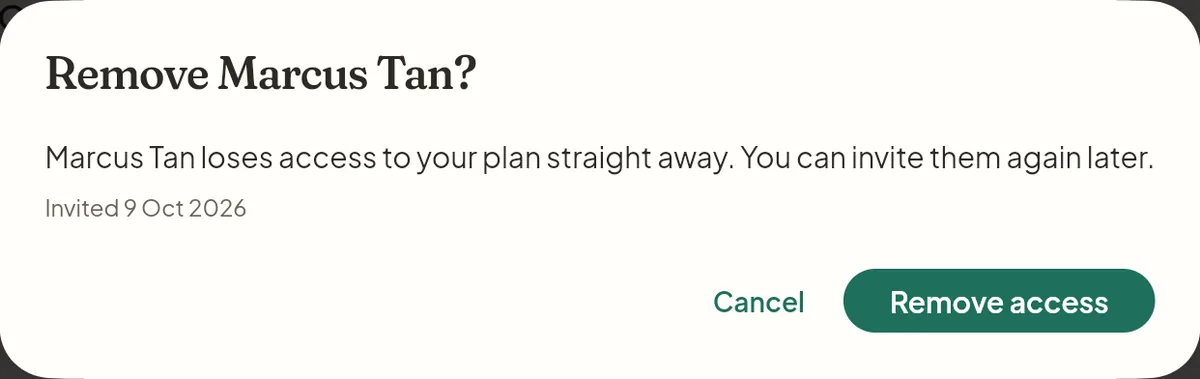
Removal asks once, then ends access.
Between meetings
See if the plan is working.
What they do on their own, in their app
-
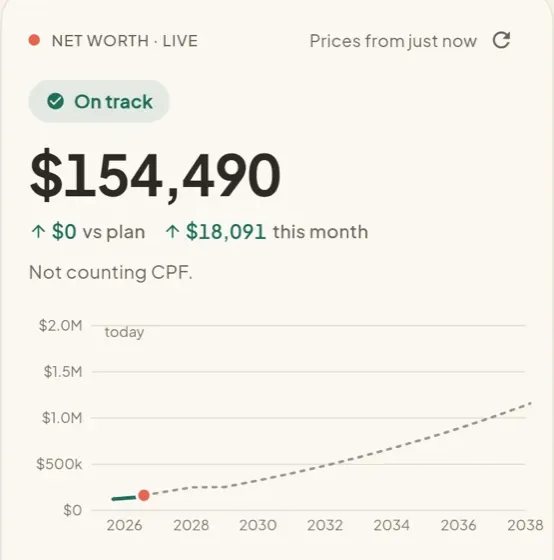
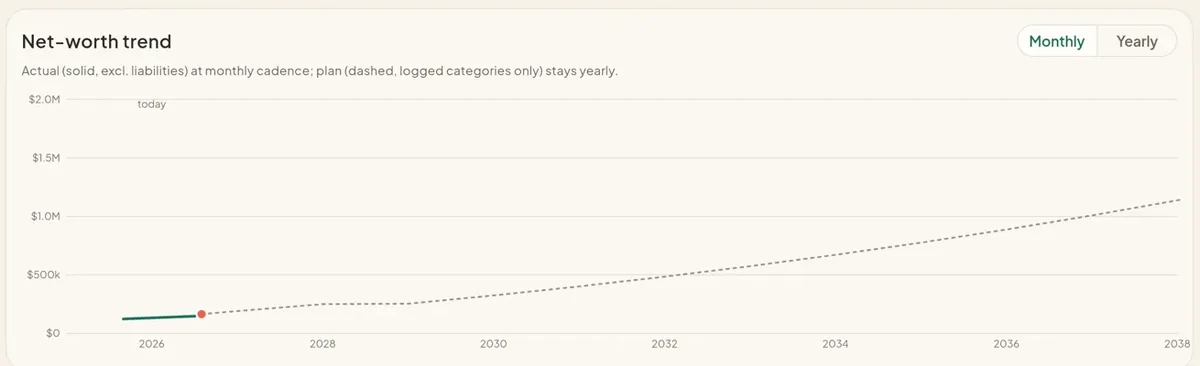
Home and Tracking
Tracking compares their actual net worth with the plan, month by month, and shows whether they are on track.
-
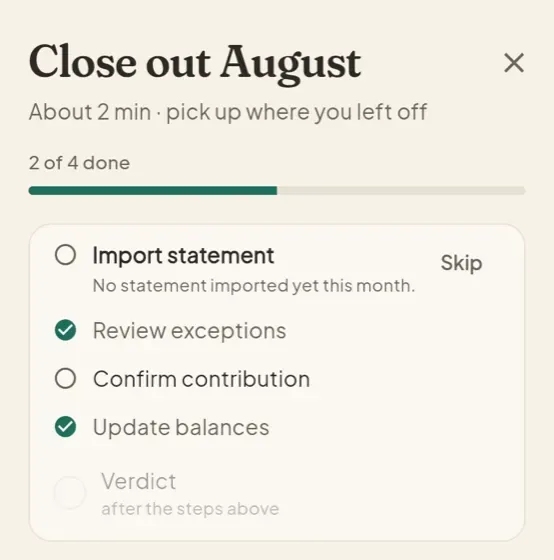
Monthly check-in
They close out the month in about 2 minutes: import a statement, review exceptions, update balances.
-
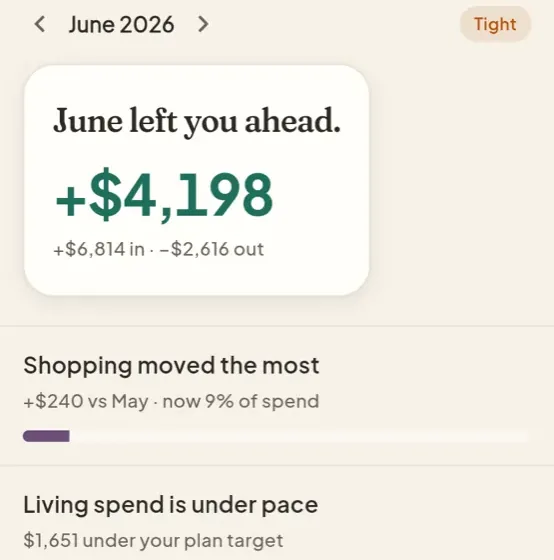
Cashflow
Spending against the plan, with bank, card and brokerage statement import.
-
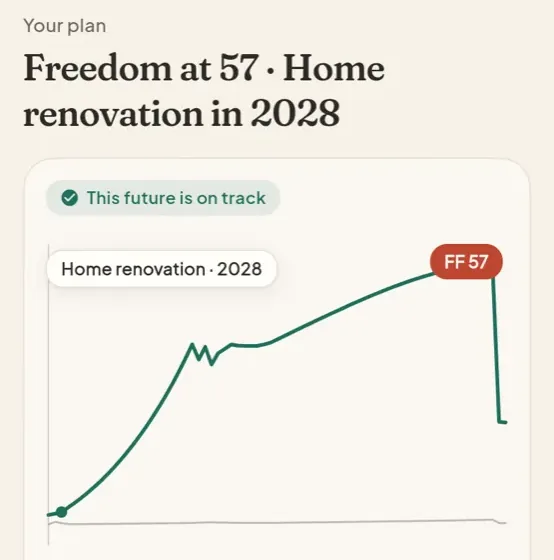
Plan, What-if, Goals
Their plan, goals and what-ifs on their phone, plus investment tracking.
What that means for you
Be the advisor who helps them get there, not just the one who wrote the plan.
You can see whether the plan you made is one they can actually follow. Tracking shows their actuals against the plan at every access level. Open it before each review.
If they've drifted, replan with them from today's numbers. Saving the replan needs Can edit plan or Full access, and the client decides which plan is the official one.
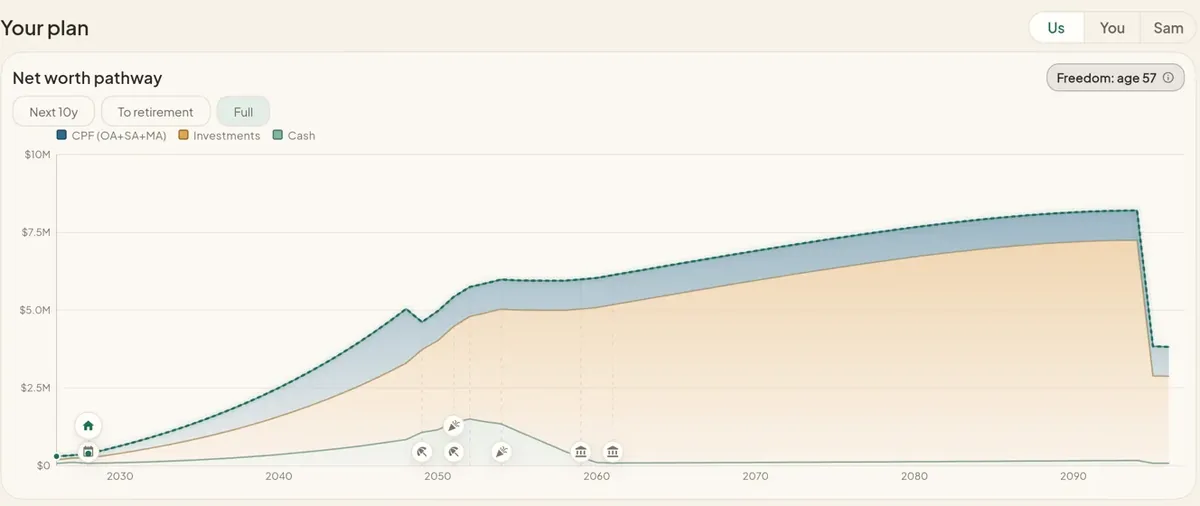
Plan for the whole household
Meet both partners, not just the policyholder.
Advice lands better when both partners are in the room. A client can invite their partner to co-own the same plan, with Us, You and Partner views. Your access covers the household, so you see both sides and plan with them together.
Advisor pricing
One seat. Unlimited clients.
S$600 /year or S$100/month
Yearly works out to S$50 a month. No per-client charges.
- Unlimited clients on one seat
- 14-day free trial. No card needed.
- 6 months of Perfingo free for each client, once you're on a paid plan
- Your clients keep their app and their plan, whatever happens to the seat
Questions advisors ask
My client doesn't use Perfingo yet. How do I get them started?
Guide them through it in your first meeting. Before you meet, model their household as an extra plan in your own account and save it as a template; templates strip personal details. In the meeting, they sign up on their phone, open Profile, tap "Share with an advisor", choose View only, Can edit plan or Full access, and send you the link. It's single-use and lasts 7 days. Accept it and they appear in your Clients list. On Can edit plan, use "New from template" in their plan and fill in the real numbers together. On your paid plan, they get 6 months of Perfingo free when you accept.
Is Perfingo a financial adviser?
No. Perfingo is planning software. It gives no advice and sells no products. If you're looking for an adviser, or want to plan on your own, Perfingo for individuals is the place to start.
Does it replace my CRM?
No. You get a client list with search, each client's plan and the access they gave you. Pipelines, reminders and messaging stay in your CRM.
What does it cost for advisors?
S$600 a year or S$100 a month for one advisor seat, with unlimited clients. The 14-day free trial needs no card. Once you're paying, each client who links you gets 6 months of Perfingo free.
Who can see my clients' data?
The client decides. They pick View only, Can edit plan or Full access, and whether to share their spending. Each household is isolated in the database, so you only ever see the households that linked you, at the level they chose.
For advisors who read this far
First-meeting checklist
Five things that make the first meeting on Perfingo go smoothly. Take it as is.
- Prepare a template from a similar household. Model it as an extra plan in your own workspace and tap Save as template. Templates strip personal details.
- Ask the client to sign up before the meeting. Their own account, on their own phone, so you start with sharing, not sign-up.
- Agree the access level together. Can edit plan lets you start from your template in their plan. Full access adds their balances and spending.
- Run one what-if on their biggest goal. Compare before and after, and apply it only if they agree.
- Book the next check-in. In your own calendar. Between meetings they keep tracking in their app.
Plan with clients in a plan they own.
Set them up in one meeting, work in their real numbers, and stay their planner between reviews.
14-day free trial · S$600/yr or S$100/mo · unlimited clients